Complete Guide to WordPress Website Development for Beginners

Master the fundamentals of building professional websites with WordPress. No coding experience required.

WordPress Development

What Is WordPress Website Development?

WordPress website development simply means creating and managing a website using the WordPress platform. WordPress is a Content Management System (CMS) that allows you to create and manage website content without building everything from scratch.

Key Insight

Instead of writing thousands of lines of code, WordPress gives you tools that simplify the process. A typical WordPress website development process includes setting up hosting, choosing a theme, adding plugins, creating pages, and optimizing for search engines.

Learn WordPress website development for free with Unlearn

Why WordPress is Different

The best part about WordPress is that beginners can learn it much faster compared to traditional coding-based development. You don't need to be a programmer to build a professional website.
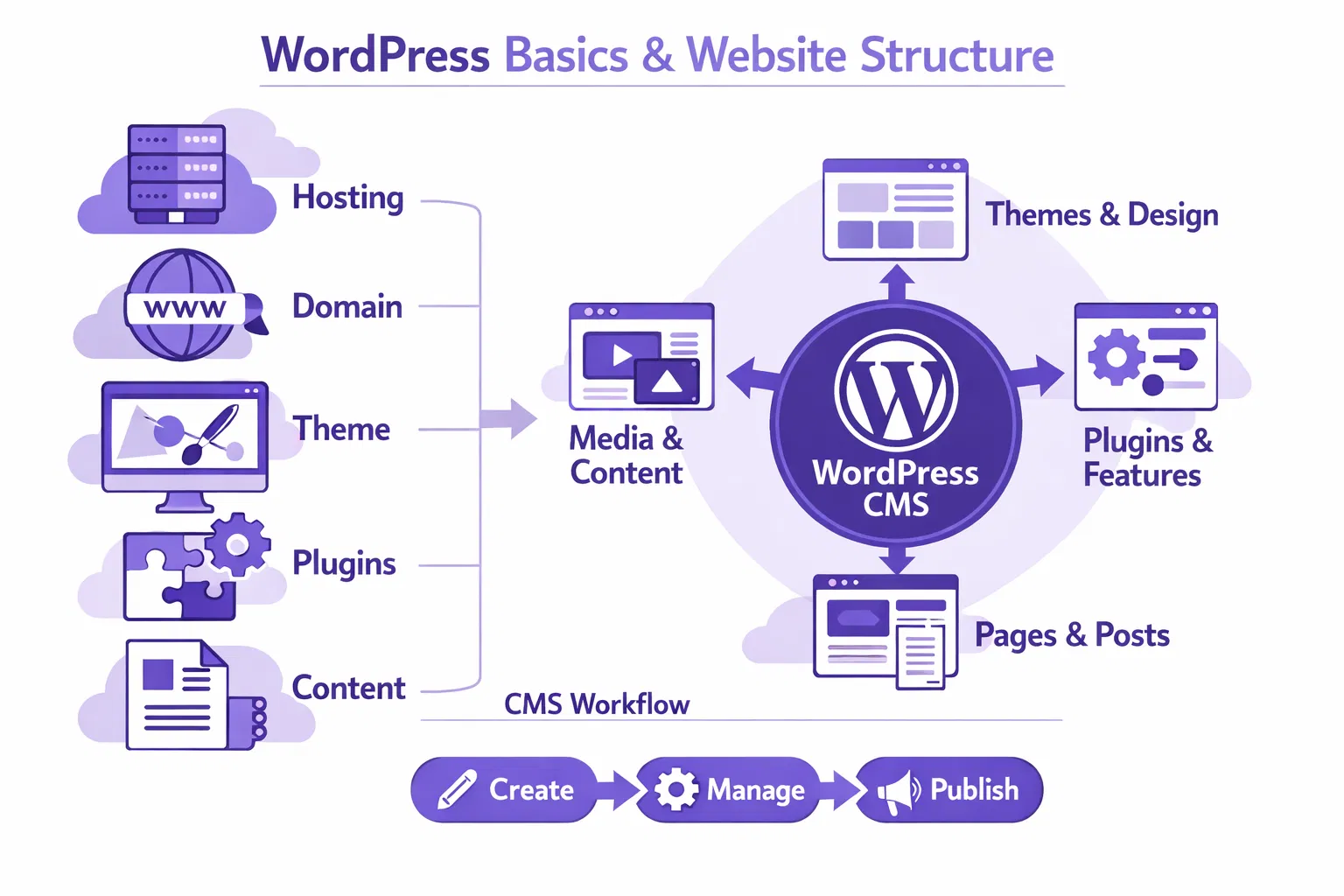
  • No coding knowledge required for basic setup
  • Intuitive dashboard interface
  • Thousands of pre-built themes
  • Extensive plugin ecosystem
  • SEO-friendly structure
WordPress Basics

Why WordPress Is One of the Best Platforms

According to W3Techs, WordPress powers over 43% of all websites on the internet in 2024. Here's why individuals, businesses, and developers choose WordPress:

Source
🎯

Beginner Friendly

The dashboard is simple to understand. Even without coding knowledge, you can publish pages, upload images, and update content.

🔧

Extremely Flexible

You can build almost any type of website using WordPress—from business sites to blogs, ecommerce stores, portfolios, and learning platforms.

🎨

Thousands of Themes

Themes control how your website looks. With thousands available, WordPress websites can be customized easily without touching code.

🔍

SEO Friendly

Search engines easily understand WordPress websites because of clean code structures and SEO plugins.

📦

Plugin Ecosystem

Plugins add extra features to your website. From security to performance, there's a plugin for almost everything.

💼

Professional Support

A massive community and extensive documentation ensure you're never stuck. Help is always available.

Types of Websites You Can Build Using WordPress

Many beginners assume WordPress is only for blogging. That was true years ago. Today, WordPress powers many types of websites:
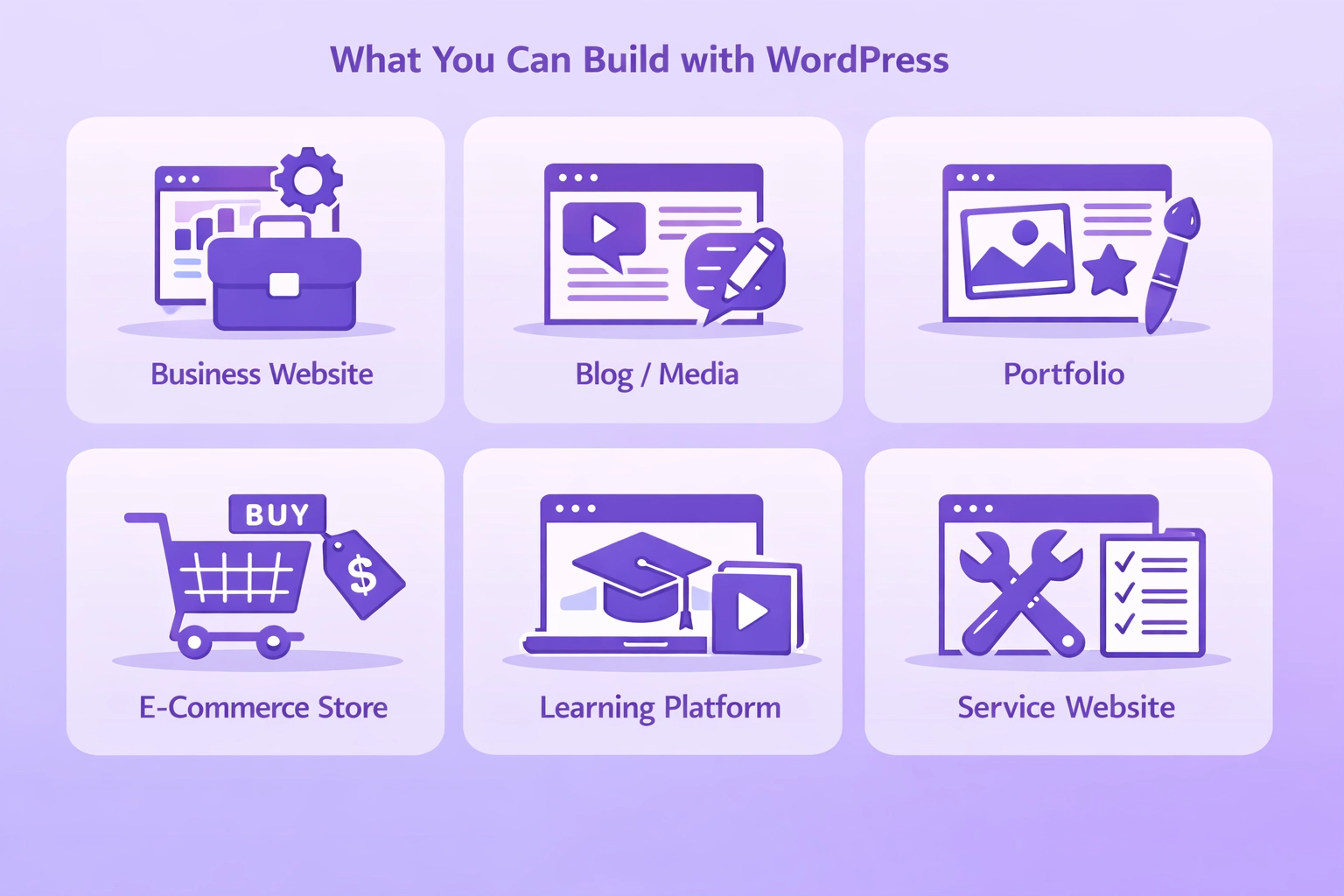
Types of Websites
🏢

Business Websites

Small businesses and service providers use WordPress for company websites including consulting, marketing agencies, and local services.

📝

Blogs & Media Sites

WordPress started as a blogging platform and remains one of the best. Many media websites and news portals run on WordPress.

🎨

Portfolio Websites

Designers, photographers, and freelancers use WordPress to showcase their work and attract clients.

🛒

Ecommerce Stores

With WooCommerce plugin, WordPress becomes a full online store for selling physical products and digital downloads.

🎓

Learning Platforms

Online academies and course platforms run on WordPress LMS. Learning management plugins make it easy to host and sell courses.

⚙️

Service Websites

Service-based businesses use WordPress to showcase services, build trust, and generate leads from their target audience.

WordPress.com vs WordPress.org: What Beginners Need to Know

When someone searches for WordPress, they usually see two versions. This confuses many beginners. Let's clarify:

WordPress.com - Hosted Solution

WordPress.com is a hosted platform, meaning hosting is already included. Setup is simpler, but customization options are limited.

Best For:

People who want a simple website without managing technical aspects. It's ideal for beginners who want to get online quickly.

  • Hosting included
  • Simple setup
  • Automatic updates
  • Limited customization
  • Restricted plugins

WordPress.org - Self-Hosted

WordPress.org is the self-hosted version. You must buy a domain and purchase hosting separately, but this version offers much more control.

Best For:

Professional websites, businesses, and developers who need full control and customization. Most professional websites use this version.

  • Full customization
  • Plugin installation
  • Advanced development
  • Requires hosting purchase
  • You manage updates

Essential Skills Needed to Learn WordPress Development

Do you need coding knowledge to learn WordPress? The short answer is no. But some basic technical understanding helps. Here are the key skills beginners usually develop:
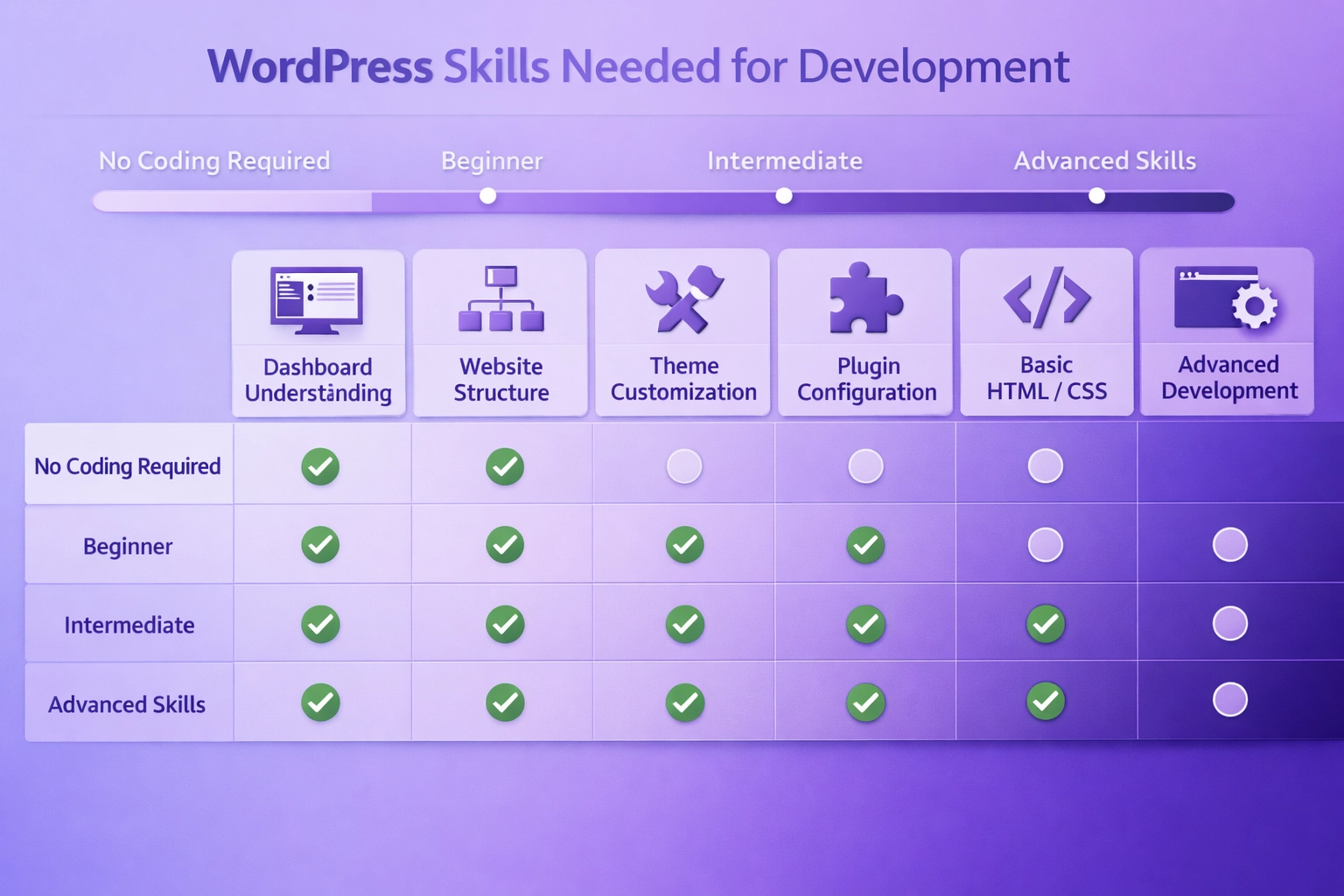
WordPress Skills
Understanding the WordPress Dashboard

The dashboard is where you manage everything. Inside the dashboard you can:

  • Create pages and publish blog posts
  • Install themes and plugins
  • Manage media and files
  • Configure settings and options
  • Monitor comments and user activity
Website Structure Basics

Every website typically includes important pages. Examples include:

  • Home page - Your website's main landing page
  • About page - Tell your story and build trust
  • Services page - Showcase what you offer
  • Contact page - Make it easy for visitors to reach you
  • Blog section - Share valuable content regularly

Understanding this structure helps build websites more logically and improves user experience.

Theme Customization

Themes control the visual design of the website. Learning how to customize themes helps you:

  • Change layouts and page structures
  • Adjust colors and branding
  • Modify typography and fonts
  • Design custom page sections
  • Create unique header and footer layouts
Plugin Configuration

Plugins extend the functionality of WordPress. Some examples include:

  • SEO plugins for search optimization
  • Contact form plugins for lead generation
  • Security plugins to protect your website
  • Performance plugins for faster loading
  • Backup plugins to prevent data loss

Knowing which plugins to use and how to configure them is a key WordPress skill.

Basic HTML and CSS (Optional)

You do not need coding to start. However, basic HTML or CSS knowledge can help when you want to:

  • Adjust layouts and spacing
  • Fix small design issues
  • Customize website styling
  • Add custom code snippets
  • Troubleshoot compatibility issues

Many WordPress page builders like Elementor make coding completely optional.

How to Build a WordPress Website Step by Step

If you are starting from scratch, the website creation process usually follows a simple sequence. Understanding this workflow makes WordPress development much easier.
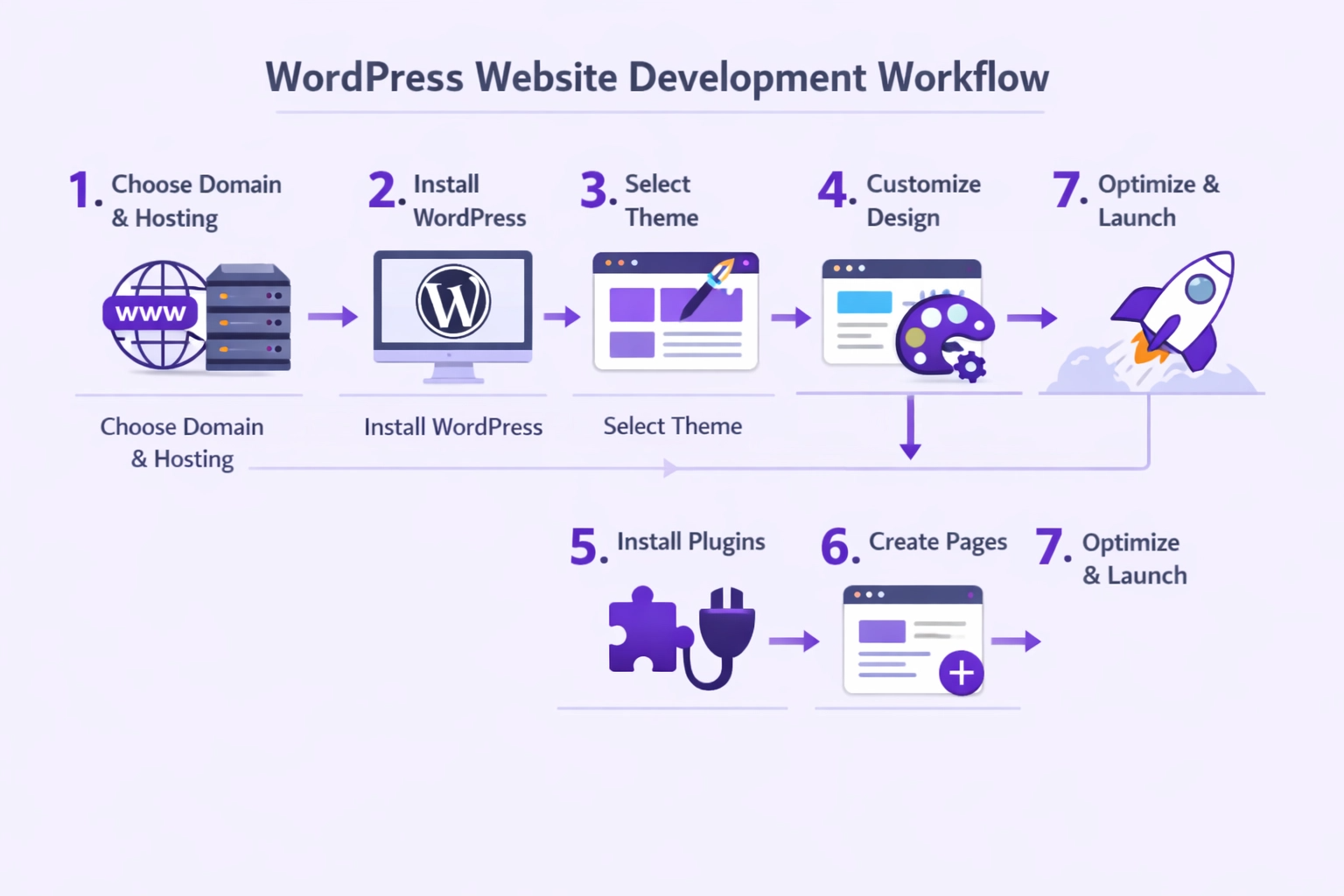
WordPress Workflow
Step 1: Choose a Domain Name and Hosting

The domain name is your website address (example: yourwebsite.com). Hosting is the server where website files are stored.

Popular hosting providers include:

  • Hostinger - Affordable and beginner-friendly
  • Bluehost - Official WordPress recommended host
  • SiteGround - Premium hosting with excellent support

Many hosting companies now offer one-click WordPress installation, making this step very simple.

Step 2: Install WordPress

Once hosting is ready, installing WordPress is usually simple. Most hosting dashboards include a quick installation tool. Within a few minutes your WordPress website is ready to use.

What happens during installation:

  • WordPress files are uploaded to your server
  • Database is created for your content
  • Admin account is set up
  • Basic configuration is completed
Step 3: Select a WordPress Theme

The theme controls how your website looks. Themes define layout, colors, typography, and page design.

Theme options:

  • Free themes from WordPress theme library
  • Premium themes with advanced features
  • Popular themes: Astra, GeneratePress, Kadence

You can choose from thousands of themes in the WordPress theme library. Most are responsive and beginner-friendly.

Step 4: Customize the Design and Layout

After installing the theme, you can customize the website. Typical customization tasks include:

  • Adding a logo and branding
  • Adjusting colors and fonts
  • Editing homepage layout
  • Building custom page sections
  • Configuring menus and navigation

Many beginners use page builders like Elementor to design pages visually without coding.

Step 5: Install Important Plugins

Plugins add functionality to your website. Examples of useful plugins include:

  • SEO plugins for search optimization (Yoast SEO)
  • Security plugins to protect the website (Wordfence)
  • Backup plugins to prevent data loss (UpdraftPlus)
  • Contact form plugins (WPForms)
  • Performance plugins for faster loading (WP Super Cache)

Plugins allow websites to gain advanced features without coding.

Step 6: Create Core Pages

Once the design is ready, you can create important pages. Typical website pages include:

  • Home - Your main landing page
  • About - Your story and mission
  • Services - What you offer
  • Contact - How to reach you
  • Blog - Your content hub

Each page helps visitors understand what the website offers and builds trust with your audience.

Step 7: Optimize Before Launch

Before publishing the website, it is important to test everything. Check for:

  • Mobile responsiveness on all devices
  • Broken links and 404 errors
  • Page loading speed and performance
  • Navigation clarity and user flow
  • Form functionality and submissions

These small checks improve user experience significantly and help your SEO rankings.

Understanding WordPress Themes and Customization

Themes are one of the most powerful features of WordPress. A theme determines how the website looks and feels, including layout structure, color palette, typography, and page templates.

Feature Free Themes Premium Themes
Cost Free $30 - $200+
Customization Basic options Advanced customization
Support Community support Professional support
Updates Regular updates Frequent updates
Design Layouts Limited Extensive layouts
Plugins Included None Often included
Best For Beginners & blogs Professional sites

Popular WordPress Themes

Astra - Lightweight, fast, and highly customizable. Great for beginners and professionals. | GeneratePress - Clean, minimal design with powerful customization. Perfect for blogs and business sites. | Kadence - Modern design with advanced features and excellent support.

Many developers also create child themes to safely customize designs without modifying the main theme files. This approach keeps your customizations safe when themes are updated.

WordPress Page Builders and Website Design Options

Many beginners worry about design. They assume designing a website requires coding knowledge. This is where WordPress page builders become useful. Page builders allow users to design pages visually using drag-and-drop tools.

🎨

Elementor

One of the most widely used WordPress page builders. Allows users to design pages visually using sections and widgets. Perfect for beginners.

Divi Builder

Combines a theme and page builder together. Offers advanced design customization options and a large library of pre-built layouts.

🔨

WPBakery

Another visual page builder used in many WordPress themes. Great for creating complex layouts without writing code.

Why Page Builders Matter

Page builders make WordPress much easier for beginners because design changes can be done without coding. You simply drag elements, adjust settings, and see changes in real-time.

How to Learn WordPress Website Development in a Structured Way

Many beginners try to learn WordPress through random tutorials. This approach often leads to confusion. One video explains themes, another explains plugins, and a third talks about hosting. But beginners still struggle to see the complete website development process.
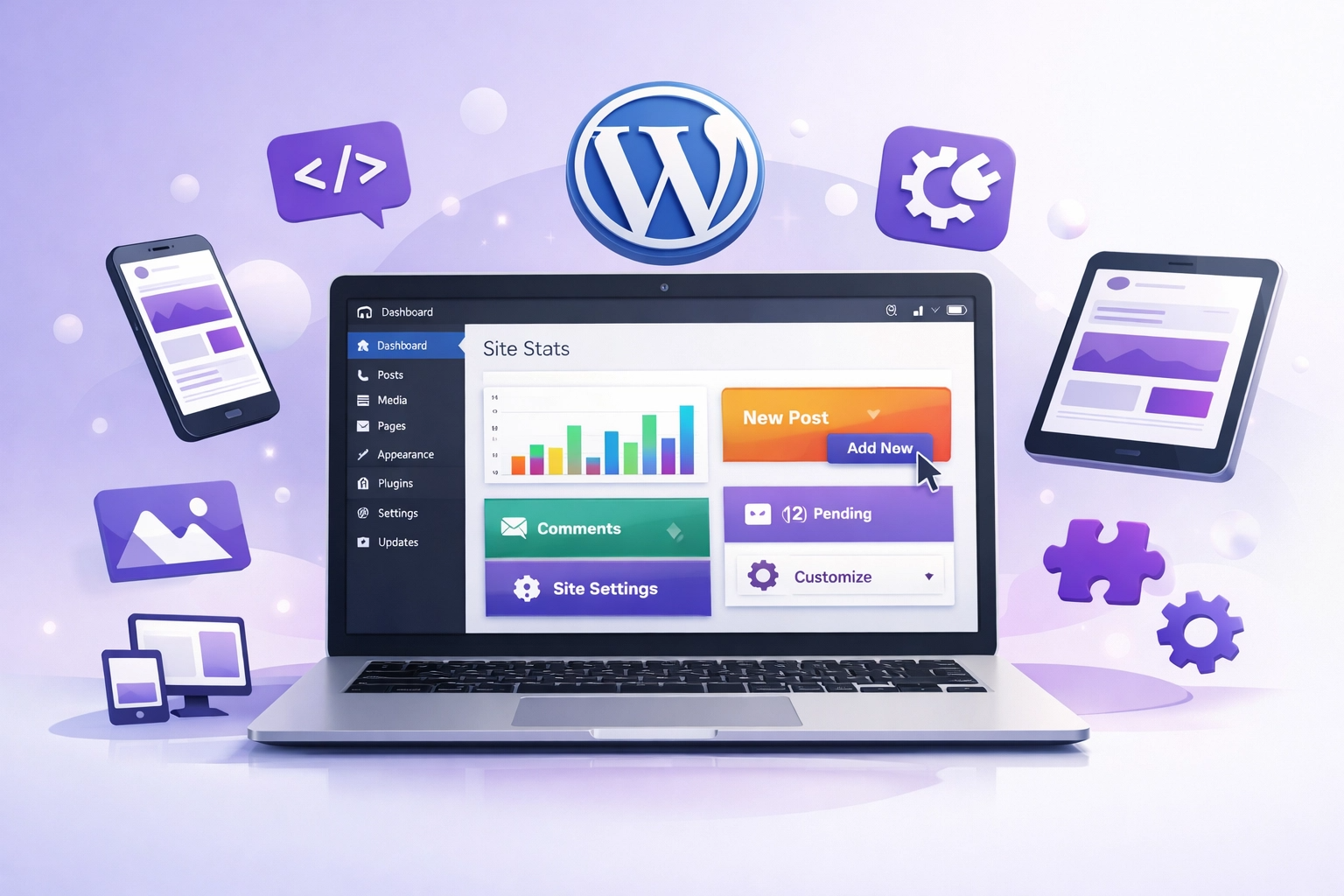
Structured Learning

Learning Becomes Easier with Structure

A good learning path typically includes understanding how WordPress works, learning the website building workflow, practicing with real projects, exploring themes and plugins, and learning basic optimization techniques.

  • Start with WordPress fundamentals
  • Learn the website building workflow
  • Practice with real projects
  • Explore themes and plugins
  • Master basic optimization
  • Build your first client site

If you prefer guided learning instead of scattered tutorials, this free WordPress web development course for beginners may be a helpful starting point. It walks through the process step by step and helps beginners practice building real websites.

Start Learning WordPress Website Development For Free

WordPress website development is a valuable digital skill. It allows you to build websites for businesses, start freelancing, create your own online projects, and explore careers in digital marketing and web development.

Key Takeaway

The Unlearn recorded courses platform is flexible enough for beginners yet powerful enough for professional developers. The key is starting with the basics and building confidence through practice. Once you understand how WordPress websites are structured, everything else becomes easier to learn. Learn the beginning notes of WordPress development for free with Unlearn free recorded course in WordPress Development.

Frequently Asked Questions About WordPress Development

Can beginners learn WordPress website development?
Yes. WordPress is designed to be beginner friendly. Many people learn it without prior coding knowledge. The platform provides intuitive tools and a large community to help you along the way.
Do I need coding to build a WordPress website?
No. Most websites can be built using themes, plugins, and page builders without coding. However, basic HTML or CSS knowledge can help with customization. Page builders like Elementor make coding completely optional.
How long does it take to learn WordPress?
Basic WordPress website development can be learned in a few weeks with regular practice. Mastering advanced development may take longer. The timeline depends on your learning pace and how much time you dedicate to practice.
Is WordPress good for freelancers?
Yes. Many freelancers build client websites using WordPress because it is flexible and widely used. WordPress development is a highly profitable freelance skill with strong market demand.
Can WordPress be used for ecommerce?
Yes. The WooCommerce plugin allows WordPress websites to function as full online stores. You can sell physical products, digital downloads, and services through a WordPress ecommerce website.

What Learners Say About Unlearn WordPress Development Free Course

★★★★★

"I had no coding experience, but this guide helped me build my first website in just two weeks. WordPress is truly beginner-friendly!"

Sumi Arakkal, Freelancer

★★★★★

"The step-by-step approach made everything clear. I now create engaging content and manage websites. Highly recommended!"

Asha Menon, Content Writer